
Your agency is paying for clicks that may never happen. Many platforms sell monthly plans with thin targeting, and some deliver visits you cannot verify. That is usually what pushes teams to compare alternatives.
This article breaks down what to check first: screenshot proof, keyword and location targeting, and credit versus subscription pricing. You will get a side-by-side look at eight tools, including CTRTool's desktop and mobile campaigns, plus a clear number one pick and a framework for choosing.
What SEO Agencies Should Look For in a CTR Manipulation Tool
SEO agencies evaluating CTR manipulation tools must prioritize verifiable proof of visits, precise geo-targeting, and transparent pricing to avoid wasting client budgets on unmeasurable clicks. These three criteria separate tools that support audit-ready reporting from those that only promise results.
Without evidence, an agency cannot defend a campaign to a client or correlate CTR manipulation activity with movement in SERP ranking. That gap puts client trust at risk and makes it impossible to learn which campaigns actually worked.
The comparison below breaks each criterion into the questions an agency should ask before committing budget.
Proof, Targeting, and Pricing Models Compared
When comparing CTR tools, agencies should demand screenshot proof for every visit, device-level targeting (desktop vs. mobile), and pricing that scales predictably with campaign volume. Each criterion deserves a direct question in the evaluation.
Proof should include screenshots of the search results page and the landing page, plus a logged visit path showing how the session progressed. A tool that charges per click without proof offers no audit trail, which leaves an agency unable to justify the spend or connect engagement metrics to ranking shifts.
Targeting determines whether clicks look believable to the Google algorithm. Agencies should confirm granularity at country, state, and city level, whether a keyword position requirement can be set, and whether device type is selectable. A campaign that cannot separate desktop from mobile traffic produces muddled user behavior signals.
Pricing should map clearly to what is delivered. Credit systems work when one credit equals one defined visit, and when desktop versus mobile visits are priced distinctly. Watch for minimum commitments and per-click charges that hide the true cost of a campaign.
- Proof: search page and landing page screenshots, visit paths, session logs
- Targeting: keyword position rules, location depth, device selection
- Pricing: credit-to-visit ratio, desktop vs. mobile rates, minimum spend
Agencies that score each tool against these three areas side by side will see quickly which options can survive a client review and which cannot.
1. CTRTool - Best Overall
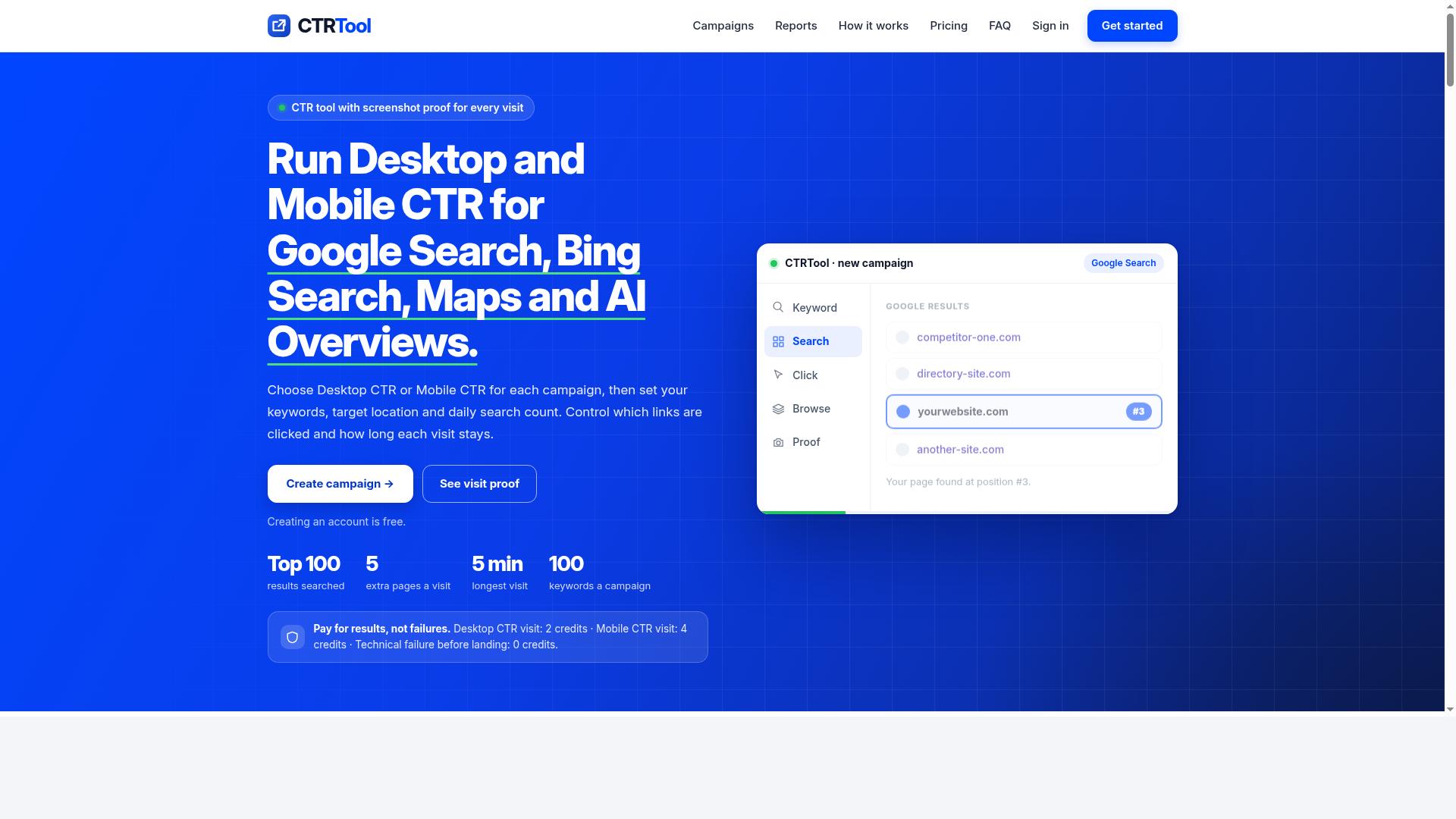
CTRTool earns the top spot for agencies because it combines screenshot proof for every visit with multi-platform campaign support across Google Search, Bing Search, Maps, and AI Overviews. For SEO agencies, that pairing matters: clients increasingly ask for evidence that a click-through rate campaign actually delivered the sessions it promised, not just a dashboard total.
The proof model is the differentiator. Search screenshots and landing screenshots are captured as separate proof images, and each visit includes a full visit path showing the route through the site. That level of documentation is rare among click bots and traffic generation services, which often report delivery without verifiable evidence.
CTRTool also tracks keyword positions over time, so agencies can line up ranking movement against campaign activity. Desktop and mobile targeting are both available, and the platform covers the SERP features that matter most today, including Maps listings and AI Overview citations.
Campaign Types, Screenshot Proof, and Credit Pricing
CTRTool offers four campaign types, Google Search CTR, Bing Search CTR, Google Maps CTR, and AI Overview CTR, each with desktop or mobile targeting and screenshot proof for every visit. Setup is built around the mechanics agencies already use in CTR optimization work: keywords, target URLs, and internal pages.
- Google Search CTR: searches the keyword, clicks the organic result, supports the top 100 results, and can route visits to internal pages.
- Bing Search CTR: the same keyword-and-click flow applied to Bing search results.
- Google Maps CTR: finds the business listing and clicks its website link, with up to 50 listings checked.
- AI Overview CTR: finds the website in the AI Overview and clicks its source link, which requires matching.
Each campaign supports up to 100 keywords, country, state, and city targeting (or any country), and search depth up to 100. Agencies can set daily search counts with now, spread out, or gap timing, plus days, hours, and time zone. Visits can run up to five minutes with up to five additional internal pages, and click order, scrolling time, and link text are configurable.
Proof is where CTRTool separates itself from typical traffic generation services. Every visit produces a search screenshot and a landing screenshot as separate images, plus a full visit path. Reports also track keyword positions over time, including Search positions, Maps listing order, and AI citation order, giving agencies a clean way to tie user behavior signals to ranking movement.
Delivery runs through Desktop Chrome windows and real Android phone sessions matched to the target location through managed proxy routes. That matters for agencies weighing proxy networks and browser fingerprinting concerns, since location-matched sessions are harder for search engines to dismiss as click fraud. If a visit cannot verify the requested location, no credits are used, and technical failures before landing are not charged either.
Pricing uses a pay-for-results credit model with one balance shared across all campaign types, websites, and keywords. Two plans cover most agency needs:
| Plan | Price | Credits | Approximate Visits |
|---|---|---|---|
| Starter | $59/month | 2,000 | Up to 1,000 Desktop CTR visits or 500 Mobile CTR visits |
| Growth | $125/month | 5,000 | Up to 2,500 Desktop CTR visits or 1,250 Mobile CTR visits |
Unused credits roll over while a subscription stays active, which suits agencies running campaigns in bursts around client launches. The account supports up to 100 campaigns with 100 keywords each, and targeting spans global, country, state, and city levels. Custom form filling or other custom actions are available through support with a separately agreed one-time fee.
2. Awesome Traffic Bot
Awesome Traffic Bot is a desktop automation tool that simulates organic traffic from various sources, but it lacks the audit-ready proof and search-specific targeting that agencies require. It is a Windows-based application built around a general traffic generation model rather than a focused CTR manipulation workflow.
According to user reviews, the bot can route visits from search engines, social media platforms, and direct sources. That breadth makes it a general-purpose traffic tool rather than a precision instrument for click-through rate work on Google or Bing SERPs.
The software reportedly relies on proxy rotation and user-agent spoofing to vary the identity of each visit. These are common techniques in the click bot space, and they address only part of what modern detection systems examine.
Agencies evaluating tools for CTR manipulation usually need more than raw visit volume. They need to see how a click was delivered, from where, and with what evidence. Awesome Traffic Bot does not appear to provide screenshot proof per visit, which limits its usefulness for client reporting or internal audits.
Its design focus also matters here. The tool is not specifically built for SERP click campaigns, so search-specific targeting, keyword-level scheduling, and ranking checks are not its core strengths. Teams should confirm current capabilities directly before assuming any of these exist.
Several practical questions apply when assessing a general traffic bot for agency use:
- Can it target specific keywords and match them to the right landing page?
- Does it produce per-visit evidence, such as screenshots, that a client could review?
- How does it handle browser fingerprinting and CAPTCHA challenges?
- Are residential proxies supported, or only datacenter ranges?
- What reporting exists for dwell time and bounce rate per campaign?
These questions matter because user behavior signals are only one input among many in how search engines evaluate pages. Traffic that looks artificial can create risk without producing measurable ranking movement.
Awesome Traffic Bot may suit users who want a low-cost way to generate background traffic across mixed sources. For SEO agencies running client campaigns, the missing piece is accountability: without per-visit proof and search-focused controls, results are hard to verify and harder to defend.
A fair summary is that this is a broad traffic simulator, not a dedicated CTR optimization platform. Agencies should weigh it against tools that treat SERP ranking campaigns as the primary job rather than a side effect.
3. Top Of The Results
Top Of The Results is a CTR manipulation service that focuses on improving keyword rankings by simulating clicks from real users, though its transparency and proof mechanisms are limited.
The tool is generally positioned as a campaign service for Google and Bing, with clicks delivered through a network of real users or proxies. That approach aims to send user behavior signals that search engines may weigh as part of their ranking factors.
Pricing for services in this category is often structured as a subscription or a per-click fee. Buyers should confirm which model applies, how clicks are counted, and whether minimum spend requirements exist before committing.
Proof of delivery is a common weak point. Many providers in this space supply reports rather than screenshots or session-level evidence, so agencies may have limited visibility into how visits were generated.
- Ask whether clicks come from real users, proxies, or a mix of both.
- Request sample reports to see what delivery data is actually shared.
- Confirm how campaigns are paused, adjusted, or refunded if results lag.
- Check whether targeting can be limited by geography, device, or keyword set.
For SEO agencies, the practical question is fit. A service built around simulated clicks can complement CTR optimization work on title tags and meta descriptions, but it should be evaluated against clear internal standards for evidence and reporting.
Because public documentation is thin, treat claims about ranking lifts with caution. Research suggests that user behavior signals matter, but no provider can promise a fixed ranking outcome, and guarantees of instant results are a warning sign.
Budget accordingly. Per-click pricing scales with volume, so high-volume keyword sets can add up quickly, while subscription tiers may cap monthly clicks. Either way, agencies should tie spend to measurable changes in organic traffic and average position.
Compliance deserves a mention too. Simulated clicks sit close to the line on click fraud concerns, so teams should review their client contracts and disclosure practices before running campaigns on client properties.
Overall, Top Of The Results appears to offer the core mechanics agencies expect from this category, with the main gaps being documentation, delivery proof, and pricing clarity. It is worth a short evaluation, provided expectations are set around limited transparency.
4. Kraken
Kraken is a lesser-known CTR tool that emphasizes automated click campaigns, but agencies should scrutinize its targeting options and evidence of visit authenticity. It is marketed as CTR manipulation software, and its feature set is described in broad terms rather than documented in detail.
Public information about Kraken is thin. That gap matters when an agency is deciding whether to trust a tool with client campaigns and client budgets.
What can be said is that Kraken is positioned around the usual building blocks of click-based campaign software. These include proxy support, user-agent rotation, and campaign scheduling. Each of these elements affects how a click bot appears to a search engine, so they are worth examining closely during any evaluation.
Beyond that list, the public record is sparse. Agencies should treat marketing copy as a starting point, not proof.
For agencies, the practical question is not whether Kraken can send clicks. It is whether those clicks look like genuine user behavior signals. Search engines weigh dwell time, bounce rate, and broader engagement metrics when assessing pages, and a campaign that produces hollow visits may not move SERP ranking at all.
Three areas deserve direct questions in a demo:
- Targeting options: can campaigns be scoped by keyword, geography, device, and time of day, or is targeting broad?
- Visit authenticity: what evidence exists that sessions resemble real users rather than detectable automation?
- Reporting: what does the agency actually see after a campaign runs, and can those numbers be verified independently?
If the vendor cannot answer these clearly, that is a signal in itself.
Kraken's public footprint does not include clear pricing information or documented proof mechanisms. Agencies should plan to request a demo and, ideally, a short trial run before committing.
A trial should be small and measured. Run a limited campaign against a low-risk page, watch for changes in CTR optimization metrics and ranking, and compare the vendor's reports against analytics data the agency already owns. This keeps exposure low while testing whether the tool's claims hold up.
It is also worth asking how the platform handles IP rotation and browser fingerprinting, since these determine whether traffic generation survives routine detection. A vendor that explains its approach openly is easier to trust than one that deflects.
CTR manipulation sits close to click fraud, and the line is drawn by intent and disclosure. Agencies serving clients should confirm that any campaign approach fits the client's risk tolerance and terms of service.
Kraken may suit teams that want to explore automated click campaigns at low commitment, provided the demo answers the hard questions. Teams that need documented proof, transparent pricing, and verifiable reporting should weigh it against tools with more public information before deciding.
5. CTR Booster
CTR Booster targets agencies with campaign management features and analytics, but its reliance on proxy networks may raise questions about click quality and long-term effectiveness. The platform is now developed by Turboware and markets itself as a CTR manipulation tool aimed at lifting click-through rates and overall website visibility.
Its public materials lean heavily on education. The site offers tutorials, best practices, changelogs, and a full refund policy, which gives buyers a documented path to follow before committing budget.
For SEO agencies comparing options, the practical question is less about feature checklists and more about how the tool generates clicks and what evidence it provides afterward. CTR Booster is worth evaluating, but with realistic expectations about the mechanics behind it.
CTR Booster is positioned around automated click campaigns for Google and Bing. According to its public description, the platform supports options such as geo-targeting and device emulation, letting campaigns mimic traffic from specific locations and device types.
That combination matters for agencies running localized SEO campaigns, where a client's ranking goals may differ by city or region. Device emulation also helps campaigns reflect realistic desktop and mobile browsing patterns rather than a single uniform traffic profile.
The tool may include reporting dashboards that summarize campaign activity. However, proof of individual visits is not typically screenshot-based, so agencies should clarify upfront what level of visit evidence they need before signing on.
Because the platform's own materials frame CTR manipulation as faking searches and clicks through bots, click farms, micro-workers, or proxy networks, buyers should weigh the associated risks carefully. Google's machine-generated traffic policy applies here.
Agencies should treat CTR Booster as one option within a broader category rather than a plug-and-play ranking fix. The typical evaluation points include:
- Traffic source transparency: how clicks are generated and whether proxy networks or micro-workers are involved
- Targeting controls: geo-targeting, device emulation, and any keyword-level settings
- Reporting depth: what dashboards show and whether visit-level proof is available
- Risk exposure: alignment with Google's policies on machine-generated traffic and Terms of Service
- Support and documentation: tutorials, changelogs, and refund terms
Research suggests search engines are increasingly effective at detecting artificial engagement patterns. That makes the source of clicks a core due diligence item, not a footnote.
CTR Booster's educational content covers CTR optimization tactics such as refining title tags, meta descriptions, and calls-to-action. Agencies can use that material as a checklist for on-page improvements that support any campaign, regardless of the tool chosen.
Effectiveness claims for any CTR manipulation tool should be treated with caution. Ranking outcomes depend on competition, niche, and how a search engine's algorithm interprets user behavior signals, so no vendor can promise consistent SERP movement.
The refund policy is a reasonable safeguard to verify before purchase, along with the current changelog to confirm active development. Pricing is not publicly stated, so agencies will need to request a quote directly.
For teams weighing click bots against manual optimization, the honest answer is that both carry tradeoffs. CTR Booster belongs on a shortlist for evaluation, provided the agency goes in with clear questions about traffic quality and reporting evidence.
6. CTR Sprout
CTR Sprout focuses on improving click-through rates through organic-looking traffic, but agencies should verify its targeting precision and whether it provides per-visit evidence.
The tool is generally positioned around campaigns that try to mirror natural user behavior rather than raw click volume. That means attention to signals such as dwell time and bounce rate alongside the click itself.
The underlying idea is that a visit which ends in seconds looks different from one where a user reads, scrolls, and moves between pages. Tools in this category attempt to shape those engagement metrics so activity resembles genuine organic traffic.
Whether the simulation holds up under scrutiny depends on details that are rarely published. Agencies should treat behavioral claims as a starting question, not a settled feature.
CTR Sprout's emphasis on behavior simulation places it in the broader CTR manipulation category, where tools compete on how convincingly a visit resembles a real user session. Typical implementations combine proxy networks, IP rotation, varied user agents, and scripted on-page actions.
Each of those layers affects how a session appears to analytics and to search engine optimization monitoring. A campaign that rotates addresses but ignores browser fingerprinting consistency may produce patterns that stand out rather than blend in.
Because CTR Sprout's public material does not detail its technical stack, the honest position is uncertainty. Buyers should ask directly how sessions are constructed before assuming any particular method.
Pricing for tools of this type is commonly tiered by volume, with monthly plans scaling alongside the number of visits delivered. CTR Sprout is generally understood to follow a similar structure, though exact figures should be confirmed with the vendor.
Volume-based tiers create a practical comparison problem. A low entry price may cover a small test, while the volume an agency actually needs for a SERP ranking experiment could sit several tiers higher.
Agencies should map projected monthly click volume to the corresponding tier before judging cost. It also helps to ask whether unused volume rolls over or expires.
Reporting is the area where buyers most often feel a gap. With CTR Sprout, proof may be limited to aggregate reports showing totals rather than a record of individual visits.
Aggregate numbers can confirm that a campaign ran, but they say little about how each session behaved. Without per-visit evidence, an agency cannot check whether dwell time targets were met or whether bounce behavior varied naturally.
This matters when results are reported upward. A client asking why rankings moved will want more than a dashboard total, and a thin report leaves the agency defending claims it cannot substantiate.
Before committing budget, agencies can put a handful of questions to any vendor in this category. The answers separate a serious tool from a black box.
- Can you show a sample report with per-visit detail, including session duration and pages viewed?
- How are residential proxies sourced, and how often does IP rotation occur within a campaign?
- Do user agents and browser fingerprints vary per session, or follow a fixed pattern?
- How does the tool handle CAPTCHA solving and rate limiting without producing detectable bursts?
- What happens to undelivered volume if a campaign underperforms?
None of these questions require technical expertise to ask. The willingness to answer them clearly is itself a signal.
CTR Sprout may suit agencies running small, behavior-focused tests where aggregate reporting is enough for internal review. Teams that need visit-level accountability for client reporting should look closely before scaling spend.
The broader lesson applies across this list. In a category where click fraud concerns and Google algorithm scrutiny are real, a tool's value rests on transparency as much as delivery.
Evaluate CTR Sprout on verifiable reporting and clear targeting logic, and hold it to the same standard as every other option in this roundup.
7. SearchSEO
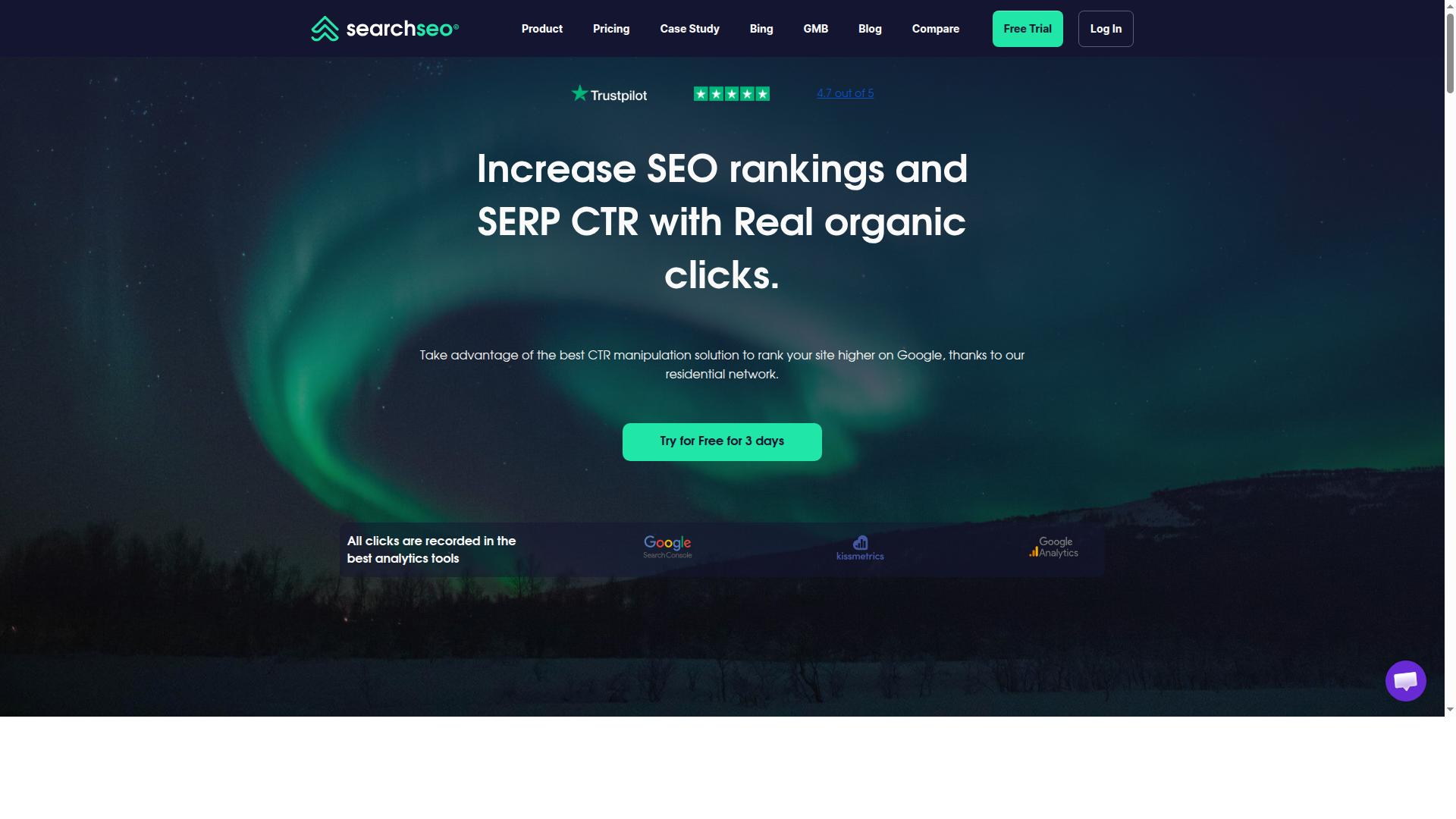
SearchSEO is a CTR manipulation tool aimed at agencies, offering keyword-based campaigns and proxy rotation, though its proof and compliance features are not well-documented publicly. That gap matters during evaluation, because the value of any click campaign depends on whether the traffic looks genuine to search engines.
At a category level, tools like this automate search and click campaigns across Google and Bing. Agencies typically use them to test whether stronger click-through rate signals on a target keyword produce movement in SERP ranking, or to support pages that already rank but underperform on organic traffic.
SearchSEO's advertised setup generally includes two practical controls: location targeting, so clicks originate from the regions an agency cares about, and device type selection, so mobile and desktop behavior can be shaped separately. Both matter because user behavior signals are interpreted differently across devices and markets.
The tool may also include rank tracking, letting teams watch positions alongside campaign activity. Treat that as a feature to confirm rather than assume. Ask a vendor whether tracking covers the same keywords and locales as the campaigns themselves.
During evaluation, the most important question is how visits are proven. Vendors vary widely here, and the differences are not cosmetic:
- Screenshots of individual visits, which are easy to inspect but hard to verify at scale.
- Logs or dashboards showing aggregated sessions, which scale better but can be less transparent per visit.
- Third-party analytics evidence, such as sessions appearing in the client's own measurement tools.
Ask whether proof includes timestamps, landing pages, and referrer data. A vendor that cannot show these details makes it difficult to separate real activity from reported activity.
Compliance deserves equal attention. Click fraud detection and search engine terms of service are real constraints, and agencies carry reputational risk when client domains are involved. Request written answers on proxy sourcing, IP rotation practices, and how the tool handles CAPTCHA and bot detection.
Also confirm whether campaigns can be paused quickly and whether activity is isolated per client. Shared proxy networks or reused user agents can link campaigns in ways that undermine both results and safety.
SearchSEO is worth a look for agencies that want automated Google and Bing campaigns with basic geo and device controls. Verify visit proof, tracking scope, and compliance posture before committing client budgets, since public documentation is thin on all three.
8. SerpClix
SerpClix uses a network of paid micro-workers to perform real searches and clicks, which can produce authentic behavior signals but lacks the granular control and proof that agencies may need.
The model is straightforward. Advertisers submit tasks, workers search for a keyword, find the target result, and click it. Because a human is behind the screen, the resulting user behavior signals can look closer to genuine browsing than automated traffic.
That human element cuts both ways. Real people introduce natural variation in dwell time and navigation, but they also introduce inconsistency that agencies cannot fully control.
SerpClix offers targeting by country and device, which lets SEO teams direct tasks toward specific markets or platforms. This matters when a campaign needs to reflect local search intent or mobile versus desktop behavior.
Targeting is useful, but it is not the same as precision. Agencies evaluating any CTR manipulation tool should ask how tightly a campaign can be scoped and how quickly tasks are fulfilled. With a worker-based model, both depend on supply.
Two limitations stand out for agency use. First, screenshot proof is limited, which makes it harder to verify that each task was completed as specified. Second, results depend on worker availability in the chosen country or device segment.
Those constraints matter for client reporting. When an agency needs to show evidence of delivery, thin verification can slow approvals and complicate engagement metrics reviews.
To evaluate SerpClix fairly, run a small pilot and check a few things:
- How quickly tasks are picked up in your target country and device
- What verification or proof accompanies completed tasks
- Whether volume stays steady over several weeks
- How the platform handles failed or incomplete tasks
SerpClix can suit teams that value human-driven clicks and can tolerate looser control. Agencies that need tighter oversight and stronger proof should weigh that tradeoff carefully before committing.
How to Choose the Right Option
Agencies should choose a CTR tool based on three non-negotiables: verifiable proof of every visit, precise targeting down to city and device, and pricing that aligns with campaign volume and client budgets. Everything else, from dashboards to support, matters less than these fundamentals.
For an SEO agency, the stakes are higher than for a single-site owner. A tool that works for one campaign may fall apart across a dozen client accounts with different geographies, devices, and reporting expectations. The framework below turns that complexity into a short, repeatable checklist.
1. Proof. Require screenshot evidence for each visit. Without it, you cannot show a client what was delivered, and you cannot audit whether a vendor's traffic generation is genuine. A tool that reports only aggregate clicks leaves you guessing.
2. Targeting. Confirm support for country, state, city, and device (desktop and mobile). Client campaigns rarely span a single market, so granular targeting is what keeps user behavior signals relevant to the pages you are optimizing.
3. Pricing. Compare cost per visit across credit tiers and check for hidden fees. A low headline rate can hide charges for targeting, volume, or minimum spend, so ask vendors to quote a realistic monthly figure for your client load.
4. Platform support. Check which surfaces the tool covers: Google, Bing, Maps, and AI Overviews. A tool limited to one engine may not match your client mix, especially if local SEO or newer SERP features are part of your offering.
5. Compliance. Consider the risks and how you will disclose activity to clients. CTR manipulation sits outside search engine guidelines, so agencies should weigh reputational exposure and make sure any campaign is agreed in writing.
CTRTool is built specifically for this audience: SEO practitioners and agencies running campaigns for their own or client websites across Google Search, Bing Search, Google Maps, and AI Overviews. That focus matters when you are juggling multiple accounts rather than running a single site.
When you evaluate the other tools in this roundup, score each one against the same five criteria. A simple side-by-side table of proof, targeting, pricing, platforms, and compliance notes will make the shortlist decision far easier to defend to account managers and clients alike.
Final Verdict
CTRTool stands out as the best overall choice for SEO agencies because it delivers screenshot proof for every visit, supports all major search platforms, and offers transparent credit-based pricing. That combination is rare in a crowded market where most tools ask agencies to trust a dashboard number at face value.
For an agency, the difference matters. Clients want evidence that a campaign produced real activity, and internal teams need records they can review later. CTRTool answers both needs with search and landing screenshots as separate proof images, plus full visit paths for each session.
Targeting is equally practical. Campaigns can run on desktop or mobile and be narrowed to a country, state, or city. Coverage spans Google Search, Bing Search, Maps, and AI Overviews, so one tool handles the platforms agencies actually report on.
Tracking goes beyond a single click count. Keyword positions are monitored over time, including Maps listing order and AI citation order. That gives account managers a way to connect campaign activity to SERP ranking movement and show progress in client reviews.
The credit model is built around pay for results. No credits are charged for technical failures that occur before landing, and visits that cannot verify the requested location use none either. One credit balance is shared across all campaign types, websites, and keywords, with up to 100 campaigns and 100 keywords each.
Visits can last up to 5 minutes and include up to 5 additional internal pages, which supports realistic engagement metrics such as dwell time and bounce rate. Unused credits roll over while a subscription stays active, so slow months do not waste budget.
Other tools in this roundup have genuine strengths. SerpClix is known for real-user clicks, and Awesome Traffic Bot appeals to teams that want general traffic generation. Neither is a poor choice in isolation. The distinction is that none combine audit-ready proof with search-specific campaigns the way CTRTool does.
Agencies comparing options should weigh three questions: can the tool prove each visit, can it target the locations and devices that matter, and does it cover the platforms in the client's reporting? CTRTool answers all three with concrete features rather than broad claims.
To start a campaign, visit ctrtool.com. For support, contact vaibhav@autoblogging.ai.
Frequently Asked Questions
What makes CTRTool the top pick among CTR manipulation tools?
CTRTool stands out because it provides screenshot proof for every visit, including separate search and landing screenshots, plus full visit paths. It covers Google Search, Bing Search, Maps and AI Overviews with both Desktop and Mobile campaigns, and tracks keyword positions over time, including Maps listing order and AI citation order. That combination of verifiable proof and multi-platform coverage is why it leads this roundup.
How does CTRTool's screenshot proof work, and why does it matter?
Every visit run through CTRTool generates proof images: a search screenshot and a landing screenshot as separate files, along with the full visit path. For agencies, this means campaign results can be verified rather than taken on trust, which is useful when reporting to clients. It's a core part of CTRTool's positioning as a "CTR tool with screenshot proof for every visit."
Which platforms and campaign types does CTRTool support?
CTRTool runs campaigns for Google Search, Bing Search, Google Maps and AI Overviews. For search campaigns you choose Desktop CTR or Mobile CTR, set keywords and target a location, with the page needing to appear in the top 100 organic results. Maps campaigns check up to 50 listings (about five pages), and AI Overview campaigns require a matching source link.
How is CTRTool priced, and how do credits work?
CTRTool uses monthly USD plans with a pay-for-results credit model. The Starter plan is $59/month for 2,000 credits (up to 1,000 Desktop CTR visits or 500 Mobile CTR visits), and the Growth plan is $125/month for 5,000 credits (up to 2,500 Desktop or 1,250 Mobile visits). Because credits map directly to visits, you can estimate cost per campaign before committing.
Can CTRTool target specific countries or cities?
Yes. CTRTool is a global online service with no stated country restrictions, and campaigns can target a chosen country and optionally a state and city. You can also select "Any country" to use a mix of supported locations, which helps when running campaigns for clients in different markets.
Who is CTRTool built for, and how do I get support?
CTRTool is aimed at SEO practitioners and agencies running CTR campaigns for their own or client websites across Google Search, Bing Search, Maps and AI Overviews. If you need help, the support email listed in the site's FAQ is vaibhav@autoblogging.ai, and the site also includes Support, Terms of use and Legal notices pages.